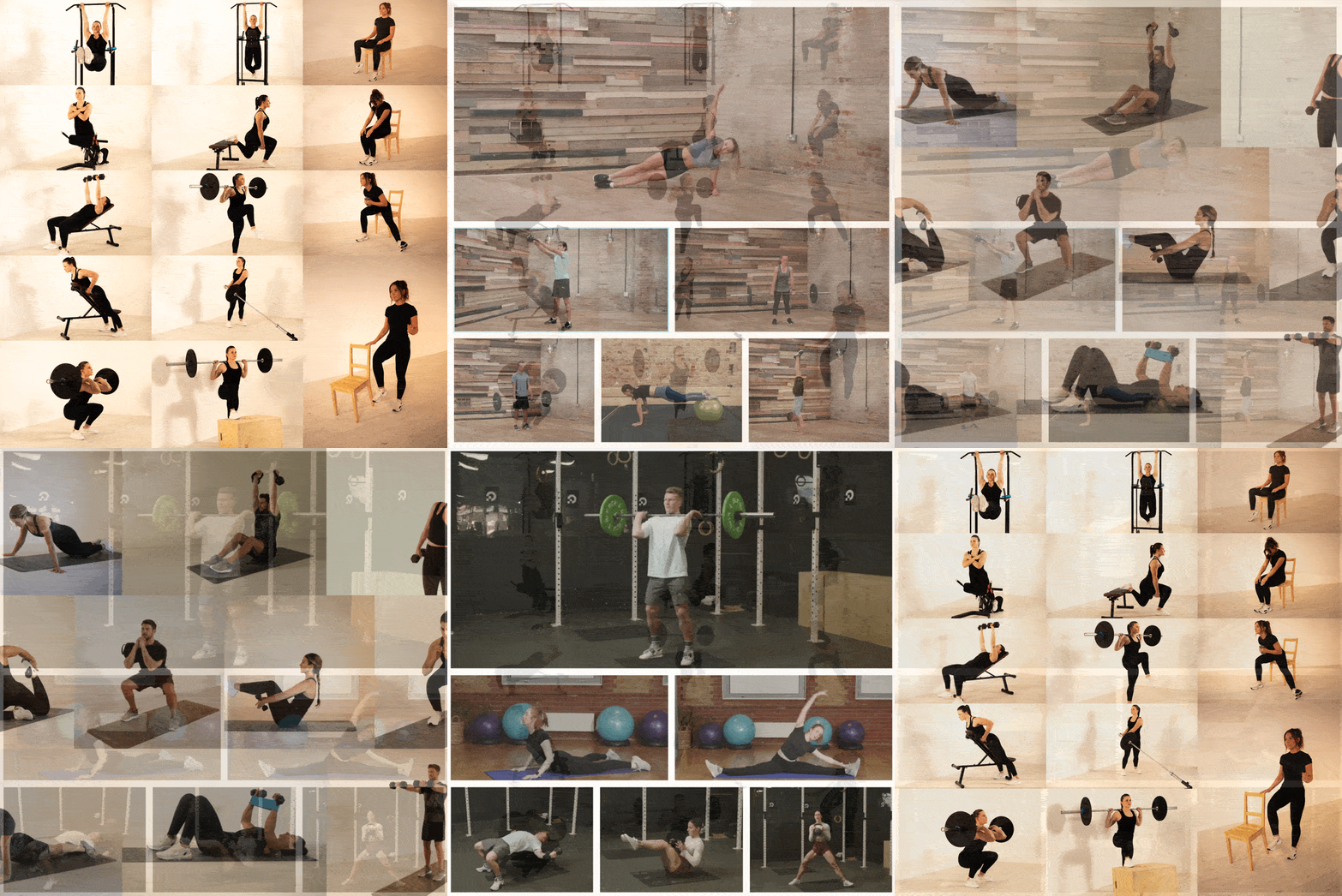
One trainer photo. One AI-generated exercise clip. Zero reshoots.
Creating exercise videos used to mean cameras, studios, trainers, editors, retakes, and long production timelines.
CloneMotion™ changes that.
With CloneMotion™ by Hyperhuman, health, wellness, and fitness teams can generate branded exercise clips from a single trainer photo — then use those clips inside workouts, programs, social assets, apps, embeds, and API-powered products.
No full shoot.
No editing timeline.
No waiting weeks for one missing movement.
Just your trainer.
Your brand.
Your content library, growing faster.

Why CloneMotion™ Matters
Fitness content breaks down when production cannot keep up with the product.
You launch a new program, but one exercise is missing.
You need a beginner variation, but the shoot is already done.
You want one consistent trainer across a full library, but production costs explode.
You need fresh content for your app, social, API, or branded member experience — fast.
CloneMotion™ helps close that gap.
It turns a trainer photo into a loop-ready AI exercise clip your team can use as a real content asset.
| Old Workflow | CloneMotion™ Workflow |
|---|---|
| Plan a shoot | Pick an exercise |
| Book trainer, camera, studio | Upload or select a trainer image |
| Film multiple takes | Add optional guidance |
| Edit and export | Generate an AI exercise clip in about a minute |
| Re-shoot missing clips | Rate the result and regenerate if needed |
| Wait days or weeks | Start using it in minutes |
This is not just faster content creation.
It is a new way to scale branded movement libraries.
What CloneMotion™ Does
CloneMotion™ generates exercise clips from a trainer image.
You can use it to:
- create missing exercise clips
- expand a branded exercise library
- keep one consistent trainer across a program
- generate variations for different training goals
- build content when filming is not realistic
- refresh older workouts with cleaner visuals
- create assets for workouts, programs, exports, social, apps, embeds, and API delivery
Generate, preview, and rate each clip — then save the keepers to your library and regenerate the rest.
That turns AI generation into a creative workflow, not a one-shot guess.
How It Works
1. Choose a trainer image
Upload a new image or reuse a saved trainer image from your team defaults.
Best results come from photos where the trainer is:
- fully visible
- centered in frame
- in the exact starting position of the exercise
- well lit
- wearing form-fitting athletic clothing
- using the right equipment in the right grip
- photographed in landscape format
- face clearly visible — front-facing, sharp, and well lit (no sunglasses, hats, or heavy shadows)
- high resolution — 1920×1080 or higher noticeably improves likeness
- the same photo reused across clips for a consistent trainer
The photo is not just a style reference.
It is the starting point.
What you capture is what the AI animates from. The clearer the face in your photo, the closer the generated trainer stays to the real one — for the entire clip, not just the first frame.

2. Pick the exercise
Choose the exercise you want to generate.
CloneMotion™ uses structured exercise context to guide the result — movement type, equipment, muscle groups, body position, execution side, and exercise identity.
That helps the output feel like a fitness clip, not a generic AI video.
3. Add optional requirements
Use guidance when the movement needs precision.
Examples:
- “CRITICAL: Right arm only.”
- “IMPORTANT: Slow, controlled tempo.”
- “CRITICAL: Rear foot elevated on bench.”
- “IMPORTANT: Keep dumbbells at shoulder height.”
- “CRITICAL: Opposite arm and leg move together. Never the same side.”
- “CRITICAL: Full range of motion on every rep.”
Clear guidance helps for:
- unilateral exercises
- alternating exercises
- equipment-specific movements
- tempo-specific clips
- rare or ambiguous exercise names
- advanced variations
- contralateral movements (bird dog, dead bug)
- full-depth repetitions
4. Generate and compare
CloneMotion™ generates your clip in about a minute.
Your team can:
- preview each version
- like or dislike results
- choose the best clip
- save it to the library
- use it in workouts, programs, exports, and other delivery surfaces
A generation credit is only used when a playable clip is delivered — technical failures never consume credits, and neither do downloads.

Best Use Cases
| Use Case | Why It Helps |
|---|---|
| Missing exercise from a shoot | Fill the gap without booking another production day |
| Consistent trainer library | Generate many movements from approved trainer photos |
| New workout series | Create supporting clips faster |
| Personalized programs | Add variations by level, equipment, or goal |
| Branded app content | Keep member experience visually consistent |
| Social campaigns | Turn generated clips into short-form assets |
| API-powered products | Build reusable exercise assets for custom experiences |
| Content testing | Create and validate new movement libraries before a large shoot |
The Quality Rule: Start With the Right Photo
CloneMotion™ is powerful, but the input image matters.
A strong photo gives the AI a strong starting point.
| Requirement | Why It Matters |
|---|---|
| Exact starting pose | Reduces unnatural transitions |
| Full body visible | Prevents cropped hands, feet, or limbs |
| Centered trainer | Keeps framing clean and stable |
| Clean background | Helps the AI focus on the trainer |
| Even lighting | Improves body and equipment recognition |
| Correct equipment grip | Reduces equipment drift or wrong movement |
| Form-fitting attire | Helps the AI understand body position |
| Standard camera angle | Reduces distortion and safety filtering |
The biggest mistake: using a standing trainer photo for a floor exercise.
For plank, glute bridge, dead bug, crunch, bird dog, or push-up variations, the trainer should already be on the mat in the correct starting position.
No shortcuts here.
Great input creates better clips.
Want the full checklist, motion note formulas, and fixes for common problems? Read the complete CloneMotion™ guide.
Where CloneMotion™ Fits in the Hyperhuman Platform
CloneMotion™ is not a standalone AI trick.
It plugs into the full Hyperhuman content operating system.
| Platform Layer | How CloneMotion™ Adds Value |
|---|---|
| Smart Library | Generated clips become reusable exercise assets |
| AI Workout Builder | Use generated clips inside AI-built workouts and programs |
| AI Video Editing | Refine, extend, or improve team-owned video assets |
| Social Drops | Turn exercises, workouts, or programs into channel-ready social assets |
| Content Autopilot | Keep content creation and publishing moving with automation |
| Content API | Deliver workouts and structured content inside your own product |
| White-label App | Use generated content inside a branded member experience |
| Localization | Pair clips with localized metadata, audio, and member experiences |
This is the real unlock:
One generated clip can become part of many product surfaces.
Workout.
Program.
Social teaser.
App experience.
API-powered journey.
Branded member library.
Embed CloneMotion™ for Content Teams
For larger teams, CloneMotion™ can also fit inside internal workflows.
A team-scoped embed lets producers generate clips inside an authenticated environment, without exposing the tool to end users.
Use it to:
- keep generation inside your workflow
- attribute usage to team members
- control access through your own environment
- track generation against monthly AI clip quotas
- maintain brand and library governance
That makes CloneMotion™ useful not only for creators, but also for content operations teams, agencies, platforms, and product teams with internal production workflows.
Business Impact
CloneMotion™ helps teams reduce the distance between idea and usable content.
| KPI | What to Track |
|---|---|
| Time to create a new exercise clip | Production speed |
| Cost per usable clip | Content efficiency |
| Missing exercise turnaround time | Workflow flexibility |
| Library coverage by goal/equipment | Content completeness |
| Program launch speed | Time-to-market |
| Workout generation success rate | Content availability |
| Social asset output | Growth content velocity |
| Content reuse rate | Library ROI |
| Trainer consistency across programs | Brand quality |
| Member engagement with refreshed content | Product impact |
The goal is not just to create more clips.
The goal is to remove content bottlenecks from growth.
CloneMotion™ vs. Traditional Production
| Need | Traditional Production | CloneMotion™ |
|---|---|---|
| Add one missing exercise | Reshoot | Generate |
| Keep one trainer consistent | More production days | Reuse approved images |
| Launch a new program | Wait for content | Fill gaps fast |
| Create variations | Film each version | Generate and compare |
| Test content ideas | Expensive upfront | Low-friction experimentation |
| Scale library depth | Linear cost | AI-assisted expansion |
| Support product delivery | Manual asset pipeline | Library-ready content |
Traditional shoots still matter for hero campaigns, signature classes, and premium brand storytelling.
CloneMotion™ is for everything around that.
The missing clips.
The variations.
The long tail.
The program gaps.
The assets that make your product feel complete.
What Makes CloneMotion™ Different
Most AI video tools generate generic visuals.
CloneMotion™ is built for exercise content.
It is designed around:
- trainer likeness
- exercise identity
- movement context
- equipment handling
- static camera framing
- loop-ready playback
- library reuse
- team workflows
- quota-aware generation
- integration into workouts, programs, social, apps, embeds, and APIs
That is why it matters.
It does not just create a video.
It creates a usable fitness content asset.
Final Takeaway
Fitness content used to scale only when production scaled.
CloneMotion™ changes the equation.
One trainer photo can become a new exercise clip.
One generated clip can become part of a workout.
One workout can become a program, social asset, app experience, or API-powered journey.
This is how modern fitness content scales.
Not by filming everything.
By turning your brand, your trainers, and your exercise library into an intelligent content engine.
Generate faster.
Stay on brand.
Build the library your product needs.